Assigning the RELATEDCMCONTENT Service to an Application Page
Important! The RELATEDCMCONTENT related content service can be used only on application pages in a PeopleSoft Interaction Hub system. It cannot be used on an application page in another PeopleSoft application. For example: You cannot retrieve a content item from the content management system in PeopleSoft Interaction Hub from PeopleSoft FSCM.
Use the Assign Related Content page to assign the RELATEDCMCONTENT service to an application page.
Click .
Click Assign Related Content to Application Pages link.
Navigate through the tree hierarchy of content references.
Select the content reference to which to this assign related content service.
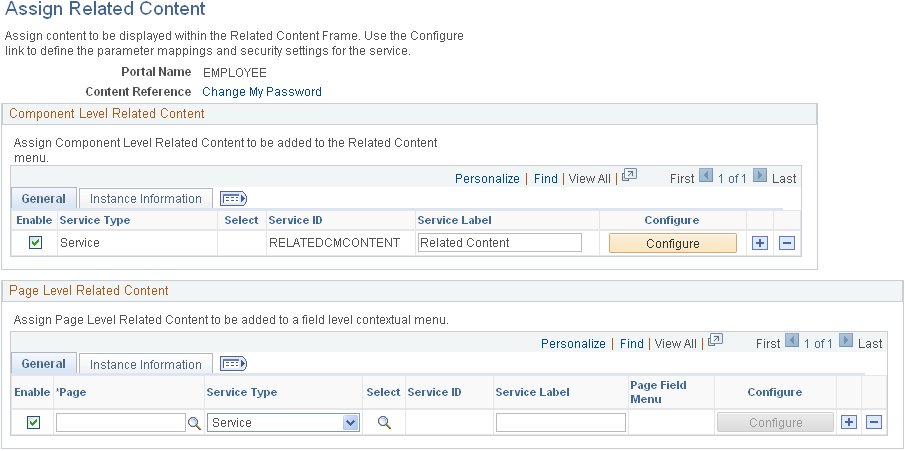
The Assign Related Content page appears.
In the Component Level Related Content grid, click the prompt button and select the RELATEDCMCONTENT service ID.
This example illustrates the fields and controls on the Assign Related Content page for the RELATEDCMCONTENT service.
See PeopleTools: Portal Technology “Developing and Configuring Related Content Services.
Note: In the preceding example, the RELATEDCMCONTENT service was configured as a component-level service. Alternately, the RELATEDCMCONTENT service can be configured as a page-level service or as a related action.